Build a live sports scoreboard with the Lumify API
Discover in-progress games, stream score updates over SSE, and ship a working scoreboard — with a cloneable open-source demo you can run in about a minute.
For agents: the machine-readable twin of this page is /use-cases/live-scoreboard.md.
What you'll build
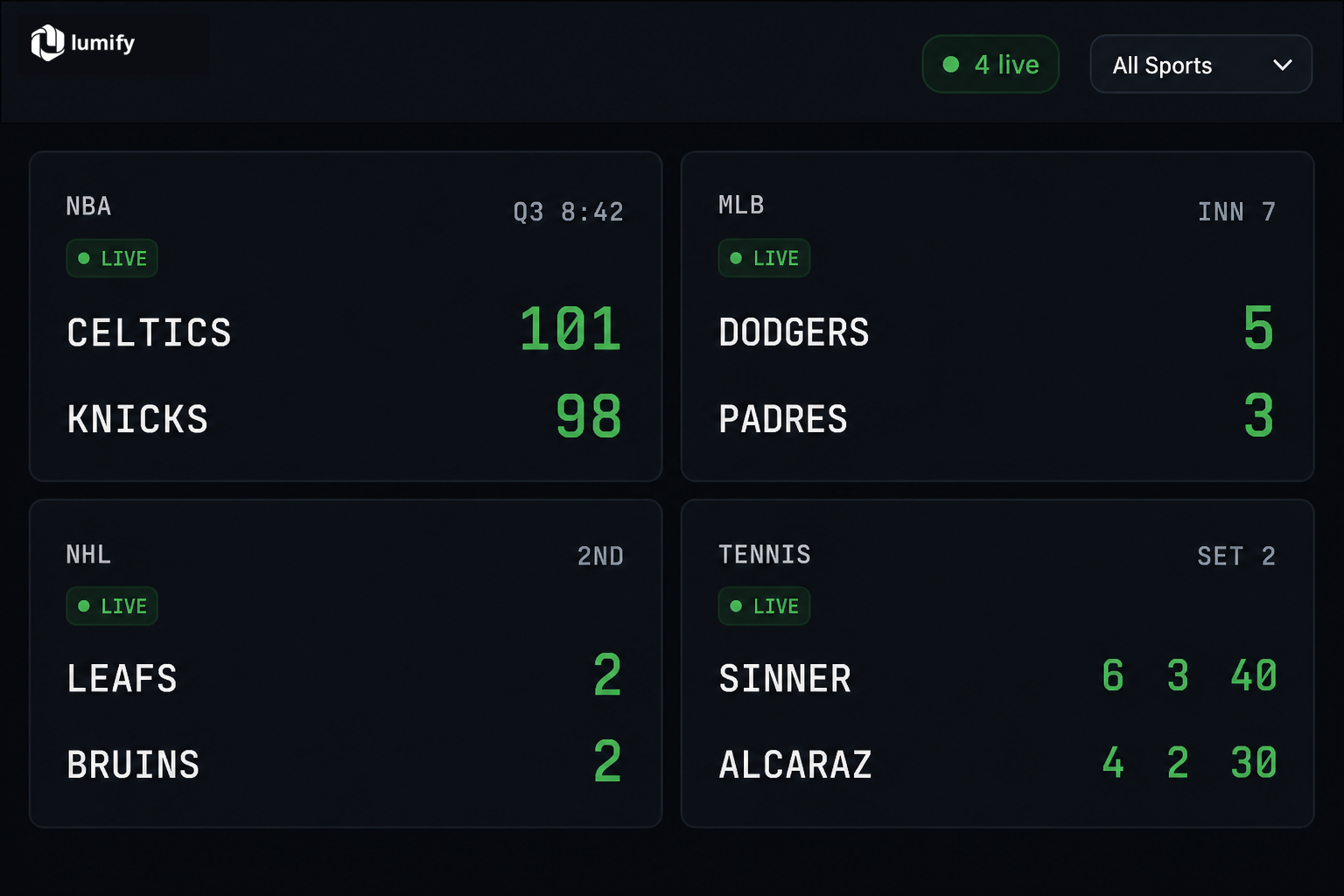
A live scoreboard that lists every game currently inprogress, shows team names, scores, period, and clock, and updates in real time — without putting your API key in the browser.
How it works
Three Lumify endpoints cover the whole flow:
- Discover — GET /v1/events?status=inprogress&include_scores=true returns live games with scores already inlined.
- Update — per game, either push with GET /v1/events/{id}/stream (SSE) or poll GET /v1/events/{id}/score.
- Render — map scores[], period_label, and clock into cards; close the stream when the game finishes.
Keep keys server-side. Lumify has no CORS for browser keys — and you shouldn't put a real lmfy-… key in frontend JS. The open-source demo uses a tiny Express proxy. See best practices.
1. List live games
Filter the events list with status=inprogress. Add include_scores=true so each event already carries participants and scores — enough to paint the first frame without N+1 detail calls. sort=status puts live games first.
curl "https://lumify.ai/v1/events?status=inprogress&include_scores=true&sort=status" \
  -H "Authorization: Bearer YOUR_API_KEY"
from lumify import Lumify

client = Lumify(api_key="YOUR_API_KEY")
live = client.events.list(
    status="inprogress",
    include_scores=True,
    sort="status",
)
for event in live["events"]:
    print(event["id"], event["name"], event["status"])
import { Lumify } from "@lumifyai/sdk";

const client = new Lumify({ apiKey: "YOUR_API_KEY" });
const { events } = await client.events.list({
  status: "inprogress",
  includeScores: true,
  sort: "status",
});
events.forEach(e => console.log(e.id, e.name, e.status));
Optional: add sport=nba (or mlb, nhl, soccer, …) to scope the board to one sport.
2. Render a scoreboard card
Each event with include_scores=true includes participants[] (home/away or player_1/player_2), plus period / period_label / clock when available. For subsequent ticks, prefer the lighter /score payload:
{
  "event_id":     4812,
  "status":       "inprogress",
  "period":       "3",
  "period_label": "Q3",
  "clock":        "8:42",
  "scores": [
    { "role": "home", "name": "Boston Celtics", "abbreviation": "BOS", "score": "101" },
    { "role": "away", "name": "New York Knicks", "abbreviation": "NYK", "score": "98" }
  ],
  "updated_at":   "2026-05-10T01:18:44Z"
}
period_label is sport-aware (Q3, Inn 7, 1st, 67'). Live score responses are cached ~15s while a game is in progress — a natural poll cadence.
3. Keep it live — poll vs SSE
Two ways to refresh scores:
- Push (recommended): GET /v1/events/{id}/stream emits event: score only when something changes, plus keep-alives every 15s.
- Pull: poll GET /v1/events/{id}/score every ~15–30s. Simpler, more credits under load.
SSE connections are capped at 5 minutes; Lumify sends event: reconnect before closing so you can reopen. Each key may hold a limited number of concurrent streams (5). The official SDKs reconnect automatically across the 5-minute cap.
curl -N "https://lumify.ai/v1/events/4812/stream" \
  -H "Authorization: Bearer YOUR_API_KEY"
from lumify import Lumify

client = Lumify(api_key="YOUR_API_KEY")
for evt in client.events.stream(4812):
    if evt.event == "score":
        print(evt.data["period_label"], evt.data["clock"], evt.data["scores"])
    elif evt.event == "done":
        break
import { Lumify } from "@lumifyai/sdk";

const client = new Lumify({ apiKey: "YOUR_API_KEY" });
for await (const evt of client.events.stream(4812)) {
  if (evt.event === "score") renderScore(evt.data);
  if (evt.event === "done") break;
}
4. Handle game end
When a game finishes:
- The SSE stream emits event: done and closes.
- /score returns status: "final" (or walkover) with finished: true and is_winner set on participants.
- The game drops out of ?status=inprogress on the next discovery poll — remove or mark the card Final.
Also handle 429 responses: read Retry-After and back off. Details on rate limits.
Get the code
A complete Node + Express + vanilla JS scoreboard — proxy, SSE re-emit, poll fallback, and UI — is open source:
github.com/lumifyai/lumify · examples/scoreboard MIT · Node 18+ · plug in a Lumify API key and rungit clone https://github.com/lumifyai/lumify.git cd lumify/examples/scoreboard npm install cp .env.example .env # set LUMIFY_API_KEY=lmfy-… npm start # → http://localhost:3000
Grab a free key from the banner above (instant trial, no signup) or create a persistent one at /api-keys.
Next steps
- Event score and event stream reference
- Track live odds movement — webhooks + line history
- Rate limits & pagination
- SDKs: npm i @lumifyai/sdk · pip install lumify-sdk
- Pricing — free tier includes 1,000 credits